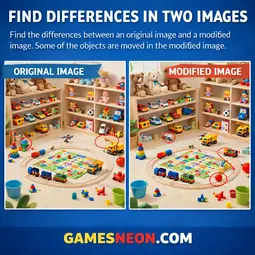
Find 5 differences between an original image and a modified version. Click on either image to mark differences. Features hints, skip functionality, and endless levels.
How to Play:
Compare the original image with its modified version and find the differences!
Gameplay:
1. View both images - left/top shows original, right/bottom shows modified
2. Click on differences on either image to mark them
3. Correct clicks show a green tick mark (✔)
4. Wrong clicks show a red cross (✖) for 1 second
5. Find 5 differences to complete the level
Features:
• Time tracking: See how long you take to find differences
• Hint system: Use hints (3 per level) to find hidden differences
• Skip level: Press ESC or click Skip to move to next level
• Score tracking: +1 point per correct find
• Wrong count: Track incorrect clicks
Controls:
• Click/Tap: Find differences on images
• SPACE/Enter: Start game
• ESC: Skip level
Difficulty Levels:
Levels automatically adjust based on available image sets. More image pairs = more levels!
Image Files:
Place your image sets in
•
•
•
Tip: Look carefully for subtle changes like color, position, or objects that appear/disappear between the images.
Compare the original image with its modified version and find the differences!
Gameplay:
1. View both images - left/top shows original, right/bottom shows modified
2. Click on differences on either image to mark them
3. Correct clicks show a green tick mark (✔)
4. Wrong clicks show a red cross (✖) for 1 second
5. Find 5 differences to complete the level
Features:
• Time tracking: See how long you take to find differences
• Hint system: Use hints (3 per level) to find hidden differences
• Skip level: Press ESC or click Skip to move to next level
• Score tracking: +1 point per correct find
• Wrong count: Track incorrect clicks
Controls:
• Click/Tap: Find differences on images
• SPACE/Enter: Start game
• ESC: Skip level
Difficulty Levels:
Levels automatically adjust based on available image sets. More image pairs = more levels!
Image Files:
Place your image sets in
images/find-differences/ with this format:•
{name}.webp - Original image (1024×1024)•
{name}-modified.webp - Modified image with differences•
{name}.txt - Coordinates of differences (one per line: x,y)Tip: Look carefully for subtle changes like color, position, or objects that appear/disappear between the images.