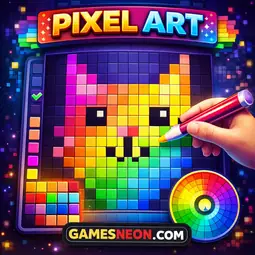
Pick colors and paint a 20×20 grid to create your own pixel art — totally free-form, no rules, just creativity!
How to Play:
Pixel Canvas is a free-form pixel art creator. Pick any color from the palette and paint cells on the 20×20 grid to make your own designs.
Painting:
1. Click a color swatch to select it
2. Click or drag on the grid to paint cells with that color
3. Drag a swatch directly onto a grid cell to place one pixel
Custom Color:
- Click the ✎ swatch in the palette to open the color picker
- Choose any color you like — it becomes your custom paint color
Erasing:
- Right-click any cell to erase it
- Click the ⌫ Eraser button or press E to toggle erase mode
Other Controls:
- Z key: Undo the last paint stroke
- C key / Clear button: Wipe the entire canvas and start over
Scoring:
- Score = Cells Filled × Number of Colors Used
- Use more colors for a higher score!
Tips: Try drawing simple shapes first — a house, a face, or your favorite emoji in pixel form!
Pixel Canvas is a free-form pixel art creator. Pick any color from the palette and paint cells on the 20×20 grid to make your own designs.
Painting:
1. Click a color swatch to select it
2. Click or drag on the grid to paint cells with that color
3. Drag a swatch directly onto a grid cell to place one pixel
Custom Color:
- Click the ✎ swatch in the palette to open the color picker
- Choose any color you like — it becomes your custom paint color
Erasing:
- Right-click any cell to erase it
- Click the ⌫ Eraser button or press E to toggle erase mode
Other Controls:
- Z key: Undo the last paint stroke
- C key / Clear button: Wipe the entire canvas and start over
Scoring:
- Score = Cells Filled × Number of Colors Used
- Use more colors for a higher score!
Tips: Try drawing simple shapes first — a house, a face, or your favorite emoji in pixel form!