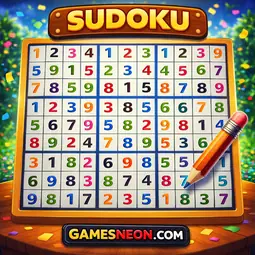
Challenge your logic with this classic number puzzle! Fill the 9x9 grid so every row, column, and 3x3 box contains digits 1-9. Notes mode and timer for advanced play.
How to Play:
Sudoku is a world-famous logic puzzle played on a 9x9 grid divided into nine 3x3 boxes. Your goal is to fill every cell with a digit from 1 to 9, following the core rules of the puzzle.
Objective:
Fill the entire grid so that every row, every column, and every 3x3 box contains all nine digits (1 through 9) exactly once.
Controls:
- Select cell: Click or tap any empty cell on the grid
- Place number: Click a number on the on-screen number pad, or press keys 1-9 on your keyboard
- Erase: Click the erase button on the number pad, or press Backspace / Delete / 0
- Navigate: Use Arrow keys to move between cells
- Notes mode: Press N to toggle pencil notes - add small candidate numbers in a cell
Scoring:
- Each correct digit placed = +10 points
- Incorrect entries count as mistakes but do not penalize your score
- Complete the puzzle to see your final time and score
Difficulty Levels:
- Easy: 39 filled cells (30 removed) - more givens make the puzzle easier to start
- Medium: 36 filled cells (45 removed) - requires logical deduction and strategy
- Hard: 34 filled cells (55 removed) - minimal givens, demands advanced solving techniques
Game Features:
- Unique, solvable Sudoku puzzles generated every game
- Notes/pencil mode for tracking candidate numbers in empty cells
- Visual highlighting - selected cell, same row/column, same 3x3 box, and matching numbers are all highlighted
- Color feedback: gold for given numbers, blue for correct placements, red for incorrect ones
- Built-in timer tracks your solving speed
- On-screen number pad optimized for touch devices
- Responsive grid adapts to any screen size
- Neon-styled UI with clean, modern design
Pro Tips:
- Start by scanning rows, columns, and boxes for the most filled sections - singles are your easiest clues
- Use notes mode on Hard difficulty to track candidates in cells with multiple possibilities
- Look for naked singles - a cell with only one possible number after considering its row, column, and box
- Cross-hatching (scanning a 3x3 box and eliminating numbers based on intersecting rows/columns) solves many Easy puzzles quickly
- On Hard mode, pair and triple elimination techniques are essential - look for cells where only two or three numbers can fit
Sudoku is a world-famous logic puzzle played on a 9x9 grid divided into nine 3x3 boxes. Your goal is to fill every cell with a digit from 1 to 9, following the core rules of the puzzle.
Objective:
Fill the entire grid so that every row, every column, and every 3x3 box contains all nine digits (1 through 9) exactly once.
Controls:
- Select cell: Click or tap any empty cell on the grid
- Place number: Click a number on the on-screen number pad, or press keys 1-9 on your keyboard
- Erase: Click the erase button on the number pad, or press Backspace / Delete / 0
- Navigate: Use Arrow keys to move between cells
- Notes mode: Press N to toggle pencil notes - add small candidate numbers in a cell
Scoring:
- Each correct digit placed = +10 points
- Incorrect entries count as mistakes but do not penalize your score
- Complete the puzzle to see your final time and score
Difficulty Levels:
- Easy: 39 filled cells (30 removed) - more givens make the puzzle easier to start
- Medium: 36 filled cells (45 removed) - requires logical deduction and strategy
- Hard: 34 filled cells (55 removed) - minimal givens, demands advanced solving techniques
Game Features:
- Unique, solvable Sudoku puzzles generated every game
- Notes/pencil mode for tracking candidate numbers in empty cells
- Visual highlighting - selected cell, same row/column, same 3x3 box, and matching numbers are all highlighted
- Color feedback: gold for given numbers, blue for correct placements, red for incorrect ones
- Built-in timer tracks your solving speed
- On-screen number pad optimized for touch devices
- Responsive grid adapts to any screen size
- Neon-styled UI with clean, modern design
Pro Tips:
- Start by scanning rows, columns, and boxes for the most filled sections - singles are your easiest clues
- Use notes mode on Hard difficulty to track candidates in cells with multiple possibilities
- Look for naked singles - a cell with only one possible number after considering its row, column, and box
- Cross-hatching (scanning a 3x3 box and eliminating numbers based on intersecting rows/columns) solves many Easy puzzles quickly
- On Hard mode, pair and triple elimination techniques are essential - look for cells where only two or three numbers can fit